.NET Aspire 9.3

Release Notes

I've updated this blog to Aspire 9.3. This particular release didn't have anything that I wanted to use right away, but this being such a simple blog website, it doesn't really need many of the fancy deployment features, especially since I deploy to Heroku and not Azure.

If I find any features I can use in the coming days, I'll create another post to highlight those.

# / 2025 / 05 / 20

Edit - a Windows-native CLI text editor

GitHub - Edit

It's 2025, and I'm excited about a new CLI text editor. When I need a text editor in a shell, I always reach for vim, but I don't love it. It's there when I need it and serves its purpose, but I've never gotten over the weird key binding knowledge required just to exit and save a file.

What I like about Edit is that it's built as a TUI (Terminal User Interface) which means you can use your mouse (point and click), you can use ctrl+a to select all text, you can use ctrl+c and ctrl+v for copy paste, and it's just way more intuitive to use.

Getting it to run

The tool was just released, so as expected, there are some quirks. First and foremost, Windows Defenders think the pre-built binary the released is a virus! In order to actually play with it, I had to build it from source using the rust tool chain.

Here's what I had to do:

Install the C++ toolchain using Visual Studio Installer. Restart my shell, to update paths. Install the rust toolchain git clone https://github.com/microsoft/edit.git rustup install nightly rustup default nightly-x86_64-pc-windows-msvc (to set the nightly toolchain as the default) rustup component add rust-src --toolchain nightly-x86_64-pc-windows-msvc (no idea why I had to do this, but rustup said I had to) cargo build --config .cargo/release.toml --release (compile and linking step) cp .\target\release\edit.exe D:\tools\ (D:\tools is where I store my adhoc tools that I build or maintain)

A few of these steps were documented on the Edit README.md file, but several were missing.

# / 2025 / 05 / 19

Staircase calculator

MyCarpentry

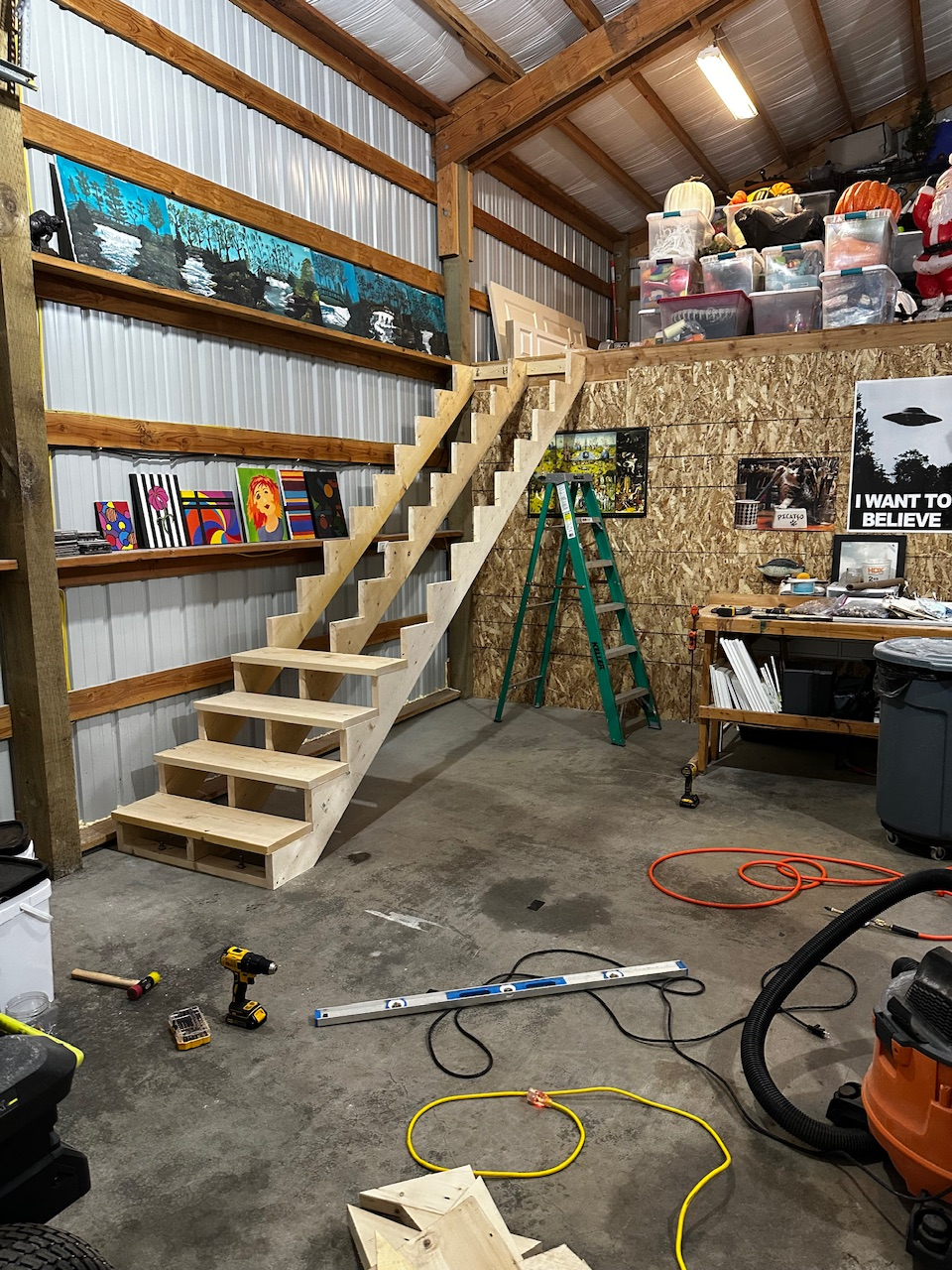
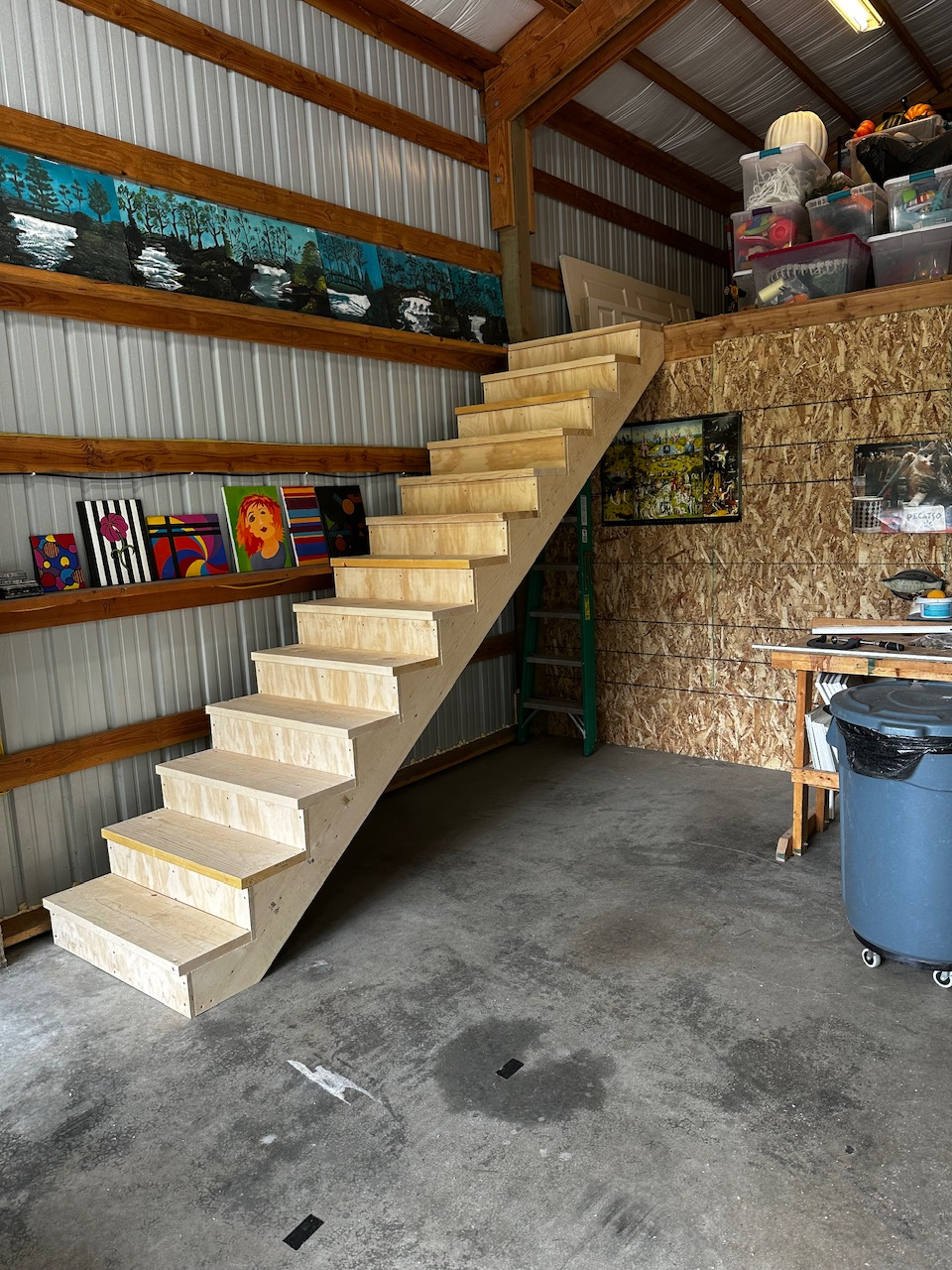
I’ve been building a new staircase for the loft in my shop. This online calculator is the golden standard for calculating the rise/run of the stairs, stringer length, number of steps, etc. I love how well designed it is. It doesn’t look super fancy, but it works very well on mobile and desktop. Kudos to them for making an amazing resource with just the right amount of information to help people make safe staircases for themselves. IMG_5421.jpeg 620.82 KBEdit: stairs are done

IMG_5428.jpeg 572.72 KB

# / 2025 / 05 / 16

Embedding an iframe using Trix

In my previous post about riding to Cle Elum, I ran into issues with Trix removing the iframe I was trying to add to show my cycling route on Ride With GPS. Here is the commit with the fixes.

There were multiple issues that needed to be solved:

  1. Add a custom button that would allow me to put arbitrary HTML into a post (supported feature from Trix)
  2. Modify the DOMPurify config in Trix to allow iframes (also supported feature)
  3. Modify the actual trix.js code to allow iframes (not supported feature, requires forking).

This issue on GitHub helped me get there, but ultimately I needed to find my own path forward that made sense for this site. Claude code also gave me a great start by writing the majority of the trix-extensions.js file, but I had to do a fair amount of manual clean up to get it to the finish line. But it's so nice to have the AI do the boilerplate to begin with, which gives me a great starting point.

The worst part about this fix was having to patch the trix code directly instead of being able to extend it. But since I vendor the trix code in my repo, it was very easy to do. I actually modified the minified trix.js file directly by ctrl+f "iframe" to remove it from the disallow list. If I need to update trix.js in the future, I'll have to remember to re-apply this fix, so this is definitely a tradeoff, but at least it was an easy way to validate the approach.

# / 2025 / 04 / 25

Big ride plans for 2025

Cle Elum OAB ride

I have some lofty cycling goals for this summer, including riding the Michelson Trail in it's entirety. Before I take it on, I need to do build up some endurance. One ride I plan to do which has been on my list for a while is riding to Cle Elum and back, along the SVT and Palouse to Cascades trails.

Edit: This post was supposed to be an excuse for me to try to embed an iframe of the route directly in the post, but I was hamstrung by Trix and DOMPurify. I'm giving up for now!Edit2: Got it working! I had to add a custom button so that I can paste in a "content attachment" and also modify the dompurify config and trix.js bundle to allow iframes. Lots of hoops to jump through. Here is the commit that got this working. https://ridewithgps.com/embeds?type=route&id=50461412&sampleGraph=true

# / 2025 / 04 / 23

Set default pipe/redirect encoding in Python

[via] Changing default encoding of Python? - StackOverflow

I ran into an issue using llm today where I was unable to save a response to a file using a pipe

llm llm logs -n 1 | Out-File response.txt

This would give me the error "UnicodeEncodeError: 'charmap' codec can't encode character '\u2192' in position 2831: character maps to <undefined>"

If you set the "PYTHONIOENCODING" environment variable to "utf8", it will fix the issue. This is because Python's default encoding is ASCII. Since the last response I got back from the model contained a non-ASCII character, this error was thrown.

So now, in my PowerShell profile, I've added a line to set the default to utf8, which fixes the issue.

$env:PYTHONIOENCODING = 'utf8'
# / 2025 / 04 / 21

FYI: Tracking down transitive dependencies in .NET

dotnet nuget why - command reference

I just found that there is a new(ish) command for figuring out where a transitive dependency comes from in your dotnet project (starting with dotnet 8.0.4xx)

dotnet nuget why <PROJECT|SOLUTION> <PACKAGE>

If you have a dependency in your project that has a vulnerability, you can use this to figure out which package is bringing it in. For example, System.Net.Http 4.3.0 has a high severity vulnerability. I've found instances where this package is brought into my projects by other packages. It's very handy to be able to trace it with a built-in tool. Before this was available, I would use the dotnet-depends tool, which is a great tool, but a little clunkier than I'd like, and doesn't seem to support central package management.

# / 2025 / 04 / 18

LLM templates

david-jarman/llm-templates: LLM templates to share

Simon Willison's LLM tool now supports sharing and re-using prompt templates. This means you can create yaml prompt templates in GitHub and then consume them from anywhere using the syntax llm -t gh:/.

I have created my own repo where I will be uploading my prompt templates that I use. My most recent template that I've been getting value out of is "update-docs". I use this prompt/model combination to update documentation in my codebases after I've refactored code or added new functionality. The setup is that I use "files-to-prompt" to build the context of the codebase, including samples, then add a single markdown document that I want to be updated at the end. I've found that asking the AI to do too many things at once ends up with really bad results. I've also been playing around with different models. I haven't come to a conclusion on which is the absolute best for updating documentation, but so far o4-mini has given me better vibes than GPT 4.1.

Here is the one-liner command I use to update each document:

files-to-prompt -c -e cs -e md -e csproj --ignore "bin*" --ignore "obj*" /path/to/code /path/to/samples /path/to/doc.md | llm -t gh:david-jarman/update-docs

You can override the model in the llm call using "-m <model>"

llm -t gh:david-jarman/update-docs -m gemini-2.5-pro-exp-03-25

The next thing I'd like to tackle is creating a fragment provider for this scenario so I don't have to add so many paths to files-to-prompt. It's a bit clunky and I think it would be more elegant to just have a fragment provider that knows about my codebase structure and can bring in the samples and code without me needing to specify it each time.

# / 2025 / 04 / 18