You can now opt-in to a new built-in PowerShell tool in Claude Code as of v2.1.84 by setting the CLAUDE_CODE_USE_POWERSHELL_TOOL environment variable.
Until this release, Claude Code on Windows would use Git Bash to run commands, which has caused some weird issues for me in the past, such as running the roslyn-language-server dotnet tool, because the entrypoint is a .cmd file which can't be run in a git bash shell.
Now, Claude Code will see an additional tool called "PowerShell"
  Built-in Tools

  - Read — Read files from the filesystem
  - Write — Write/create files
  - Edit — Make exact string replacements in files
  - Bash — Execute shell commands
  - Glob — Find files by pattern
  - Grep — Search file contents with regex
  - Agent — Launch specialized subagents
  - Skill — Invoke user-defined skills
  - ToolSearch — Fetch schemas for deferred tools
  - PowerShell — Execute PowerShell commands
It doesn't replace the Bash tool, it just adds PowerShell, so you may find that the agent defaults to using Bash for most things unless you ask it to use PowerShell explicitly.
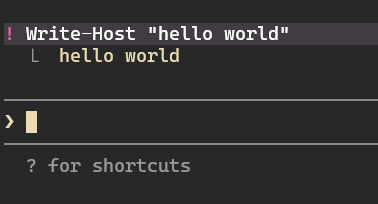
You can also add { "defaultShell": "powershell" } to your settings.json file to make !commands run in PowerShell. This means you can now run cmdlets directly. For example: ! Write-Host "Hello" now works.