Quick one-liner to update all llm plugins using PowerShell:
llm plugins | ConvertFrom-Json | % { llm install -U $_.name }
Quick one-liner to update all llm plugins using PowerShell:
llm plugins | ConvertFrom-Json | % { llm install -U $_.name }
dotnet nuget why - command reference
I just found that there is a new(ish) command for figuring out where a transitive dependency comes from in your dotnet project (starting with dotnet 8.0.4xx)
dotnet nuget why <PROJECT|SOLUTION> <PACKAGE>
If you have a dependency in your project that has a vulnerability, you can use this to figure out which package is bringing it in. For example, System.Net.Http 4.3.0 has a high severity vulnerability. I've found instances where this package is brought into my projects by other packages. It's very handy to be able to trace it with a built-in tool. Before this was available, I would use the dotnet-depends tool, which is a great tool, but a little clunkier than I'd like, and doesn't seem to support central package management.
Blogs are popping off in 2025! Jeremy Warner runs Slate Creek Solutions in the Black Hills and is a great personal friend of mine. I’m excited to see more people start up their own blogs and own their words.
david-jarman/llm-templates: LLM templates to share
Simon Willison's LLM tool now supports sharing and re-using prompt templates. This means you can create yaml prompt templates in GitHub and then consume them from anywhere using the syntax llm -t gh:/.
I have created my own repo where I will be uploading my prompt templates that I use. My most recent template that I've been getting value out of is "update-docs". I use this prompt/model combination to update documentation in my codebases after I've refactored code or added new functionality. The setup is that I use "files-to-prompt" to build the context of the codebase, including samples, then add a single markdown document that I want to be updated at the end. I've found that asking the AI to do too many things at once ends up with really bad results. I've also been playing around with different models. I haven't come to a conclusion on which is the absolute best for updating documentation, but so far o4-mini has given me better vibes than GPT 4.1.
Here is the one-liner command I use to update each document:
files-to-prompt -c -e cs -e md -e csproj --ignore "bin*" --ignore "obj*" /path/to/code /path/to/samples /path/to/doc.md | llm -t gh:david-jarman/update-docs
You can override the model in the llm call using "-m <model>"
llm -t gh:david-jarman/update-docs -m gemini-2.5-pro-exp-03-25
The next thing I'd like to tackle is creating a fragment provider for this scenario so I don't have to add so many paths to files-to-prompt. It's a bit clunky and I think it would be more elegant to just have a fragment provider that knows about my codebase structure and can bring in the samples and code without me needing to specify it each time.
I'm always excited when I see a new .NET Aspire release. The 9.2 update has lots of small quality-of-life improvements. The most interesting new feature for me is "Automatic database creation support". This means that if you add a Postgres database, it will get automatically created, but the best part is that you can also provide a custom SQL script. This lets you customize the creation. I might use this to seed the database with some fake data, so I don't have to manually create data.
This project is showing really great promise. The team is actively listening to developer feedback and reacting to it quickly.
The “S” in MCP Stands for Security
Great article that outlines some of the attack vectors of the Model Conext Protocol. I’ve been playing around with it recently in Claude Code and by attempting to integrate it into the llm CLI by simonw.
As with any dependency, it’s good to vet the source before using it. Same is true for mcp servers, which are usually docker containers, npm or python tools.
An in depth guide on getting started with Reinforcement Learning by OpenAI.
Train RL agents to play Pokemon Red - GitHub
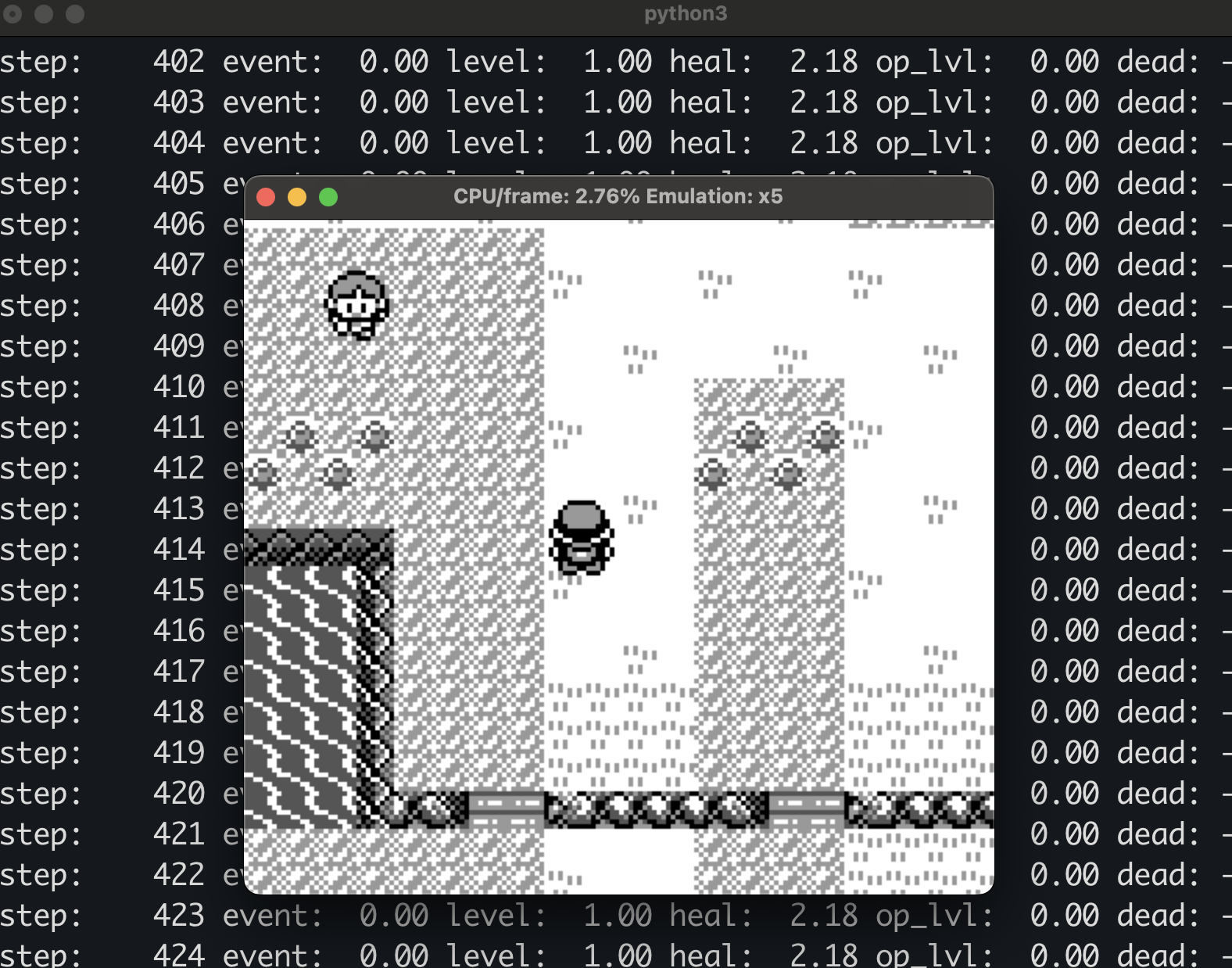
I'm very late to the trend of AI playing Pokemon gameboy games, but I just started playing Pokemon Red myself on the iOS Delta emulator, and have been having lots of fun. To be clear, this is my first time doing anything with Pokemon. It wasn't something I was into as a child, but am for some reason discovering it as an adult and enjoying it.
I just wanted to make a quick post to show how I got the PokemonRedExperiments project running on my MacBook Pro M4 using uv.
Full steps:
# Clone the repo
git clone https://github.com/PWhiddy/PokemonRedExperiments.git

# Install ffmpeg
brew install ffmpeg

# Copy ROM to git root path
cd PokemonRedExperiments
cp /path/to/pokemon-red.gb PokemonRed.gb
# Validate rom is valid. Should produce ea9bcae617fdf159b045185467ae58b2e4a48b9a
shasum ./PokemonRed.gb

# Set up python environment
cd baselines
uv venv --python 3.10
uv pip install -r requirements.txt

# Start the pre-trained RL agent
uv run ./run_pretrained_interactive.py
I first tried using Python 3.12, as the README suggested using Python 3.10+, but I found that there are package dependency conflicts with 3.12, so I changed my uv command to use 3.10 and everything worked. This is why I love uv. I can very easily try out other versions of python and not worry about messing up other projects.
Something happened to me a couple of weeks ago that gave me pause. I found a bright, green leaf in the middle of my driveway. This might not sound like a notable event, but it's the end of winter, and all the trees around me are barren, awaiting spring to create their buds.
 To me, this looks like a full, summertime leaf, maybe from a maple tree. It really disoriented me, I had to stop what I was doing and ponder what was going on. Is reality breaking? Is the simulation throwing exceptions? Is the increase in compute usage in our world (due to increases in usage of AI and crypto) causing our host reality to lag out and add sprites in the wrong places? These are the thoughts that flooded my brain.
I've been thinking about that leaf for a while. I finally realized I live in the 21st century and can identity the leaf with my phone, and maybe that would offer a clue to my mystery. And yeah, it's Common Ivy, an evergreen plant. Mystery solved.
While this was a silly, and to me, quite funny little freak out, it has me wondering what things other people have stumbled across in the world that seemed so completely out of place, that it could only be by some non-natural means. I'm sure this happens to every one at some point in their lives.
I just learned about a new open-source tool from Microsoft called MarkItDown.
MarkItDown is a lightweight Python utility for converting various files to Markdown for use with LLMs and related text analysis pipelines.
This seems similar to pandoc, but instead of any being able to take any formatted document type and convert it to any other type, it only outputs to markdown. It can be used as a standalone CLI tool or as a python library.
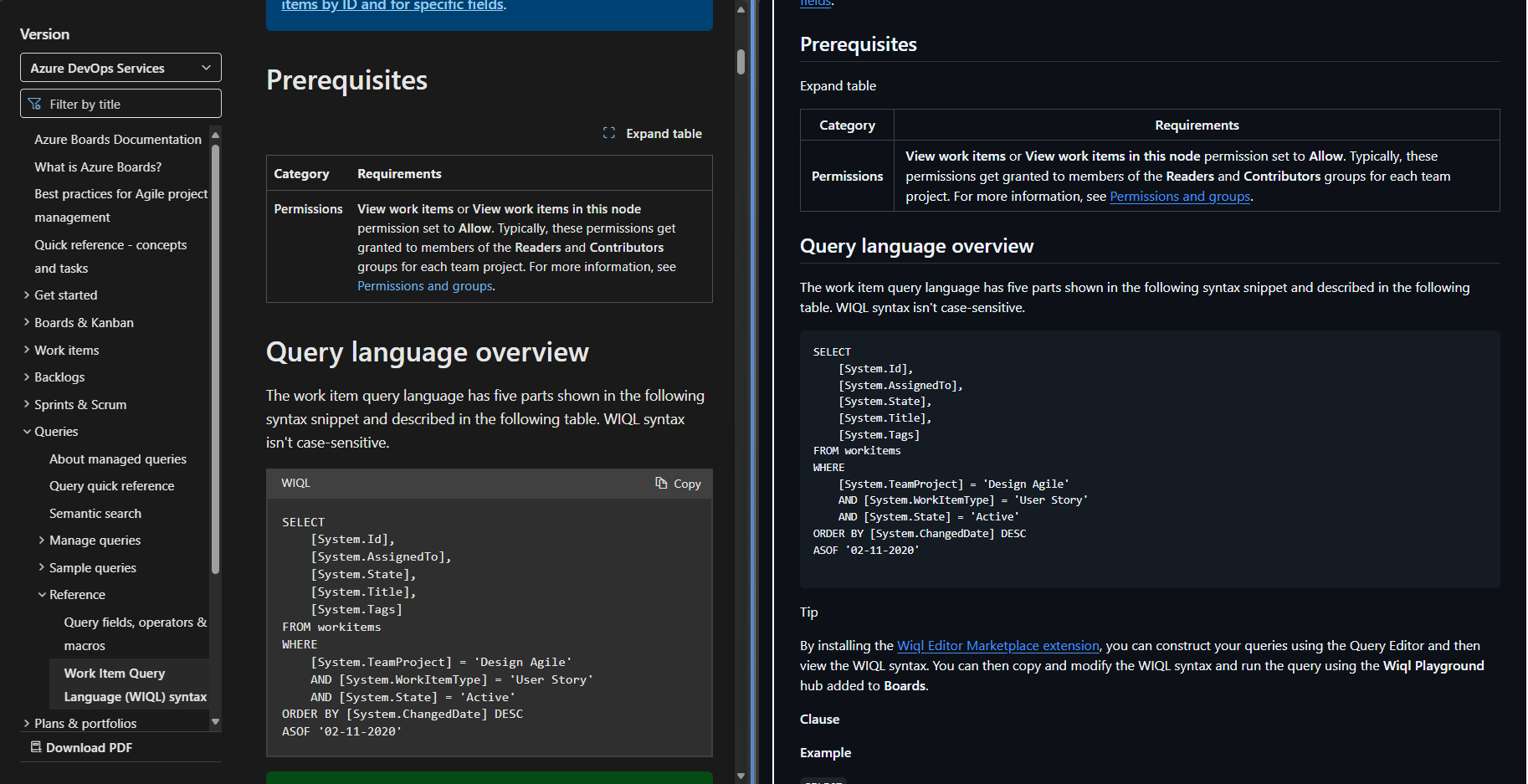
I'm particularly interested in converting HTML to markdown, so that I can take public documentation online and convert it into a markdown file, which can be more effectively consumed by LLMs. I was playing around with this idea last week during a hackathon, where I wanted to take the query language specification for WIQL that is online and turn it into a compact prompt, so the LLM can more reliably create WIQL queries for me.
To get the HTML for the web page, I use Simon Willison's tool shot-scraper to dump the HTML of the webpage, then pipe it into markitdown
shot-scraper html https://learn.microsoft.com/en-us/azure/devops/boards/queries/wiql-syntax | markitdown > wiql.md
This produces a file called wiql.md (link to gist with unmodified output). It's certainly not perfect, the first 300 lines (out of around 1000), are not related to the documentation, and is just extra HTML that isn't needed. This could probably be mitigated by passing an element selector to shot-scraper, so it doesn't dump the unrelated HTML of the page. But it's not hard to delete those lines manually, and then the final result is pretty good. It looks fairly similar to the original web page.
edit: Here is the one-liner to only dump the relevant part of the page.. You have to wrap the output of shot-scraper in a <html> so markitdown can infer the input type.
echo "<html>$(shot-scraper html https://learn.microsoft.com/en-us/azure/devops/boards/queries/wiql-syntax -s .content)</html>" | markitdown -o wiql.md
 MarkItDown also supports plugins, so you can extend it to support other file formats. I've only played around with this a little bit, but I think it will be handy to have a quick and easy way to convert more documents to markdown. I'm particularly interested in the pdf and docx input types as well.