Setting up a dotnet dev environment with WSL and Ubuntu 24.04

I just knew 2026 was going to start off this way... A complicated setup to do something that should be simple.

Ok, so you want to do some .NET dev work with WSL? Better not choose Ubuntu 24.04 as your distro. I guess this version doesn't ship with some important packages that are needed to make some interop work between Windows and Linux. Anyways, let's get to the steps!

Configure Git for authentication with Azure DevOps

  1. Make sure you have installed Git For Windows on your host machine. Your git installed in Linux will need to use the credential manager in Windows.
  2. Configure the credential helper: git config --global credential.helper "/mnt/c/Program\ Files/Git/mingw64/bin/git-credential-manager.exe"
  3. Configure using HTTP: git config --global credential.https://dev.azure.com.useHttpPath true
  4. Clone a repo hosted in Azure DevOps

Install Dotnet

  1. Install dotnet: wget https://dot.net/v1/dotnet-install.sh -O dotnet-install.sh && chmod +x ./dotnet-install.sh && ./dotnet-install.sh --jsonfile global.json
  2. Edit ~/.bashrc to add dotnet to the PATH
export DOTNET_ROOT=$HOME/.dotnet
export PATH=$PATH:$DOTNET_ROOT:$DOTNET_ROOT/tools

Configure dotnet for authentication with Azure DevOps

  1. Install Artifacts CredProvider: wget -qO- https://aka.ms/install-artifacts-credprovider.sh | bash
  2. Set environment variable in ~/.bashrc to force a dialog to popup for authentication so you don't end up using Device Flow (which some tenants, like mine, disallow)
export NUGET_CREDENTIALPROVIDER_FORCE_CANSHOWDIALOG_TO=true

Install packages that allow the browser to be opened from MSALThis part is crucial. When you run dotnet restore --interactive, MSAL will want to open your system's browser so you can use OAuth to sign in and provide credentials for your Azure DevOps instance. Install these packages, which no longer ship with Ubuntu:

  1. apt update
  2. apt install xdg-utils
  3. apt install wslu

wslu is a discontinued project that consisted of utilities for WSL and xdg-open is a program that will open the system's browser.

Edit: If WSL interop stops workingYou may need to add a WSL interop config (source)

sudo vim /usr/lib/binfmt.d/WSLInterop.conf
Add this line:
:WSLInterop:M::MZ::/init:PF

Then, restart systemd-binfmt

sudo systemctl restart systemd-binfmt 

Final step

dotnet restore --interactive

This should open your browser and you can sign in and restore packages! This only took me a full morning to figure out :(


me in 2026

Microsoft Loves Linux - Microsoft Windows Server Blog

# / 2026 / 01 / 05

GIFs!

I added GIF support today. And now that I have to go back to work tomorrow, I’ll be using this one multiple times a day again

Elmo Fire

# / 2026 / 01 / 04

LLMs - unexpected side effects

Simon Willison on helping people write code again

+1 to what Simon is saying. I’ve been able to do a lot more on side projects now especially as a busy parent. I will kick off a prompt on Claude code (on my phone sometimes with Claude code web) and then go back to playing with my daughter or cooking or dishes. I can prototype ideas I have and look at the results whenever I have time. It’s really made me fall in love with programming again! I just wish I could find a better workflow for it at work. I’m struggling to get out of the “small toy projects” phase and into using it on larger projects. Probably less of a me problem and more of a tech / organization problem.

# / 2026 / 01 / 04

Splitting MKV files by chapter using ffmpeg

PowerShell Script

Created a small PowerShell scripts to split up MKV files by chapters. I wanted to avoid downloading yet another tool (handbrake or MKVToolNix) and I like the idea that I can use ffmpeg to do everything. For context, I have a DVD of Weird Al's ultimate music video collection that I got in middle school that I want available in Plex. I used MakeMKV to rip the DVD but all the music videos are in a single file, separated by chapters.

Weird Al

# / 2025 / 12 / 30

Yoto Player Image Converter

Yoto Player Custom Playlist Image Generator

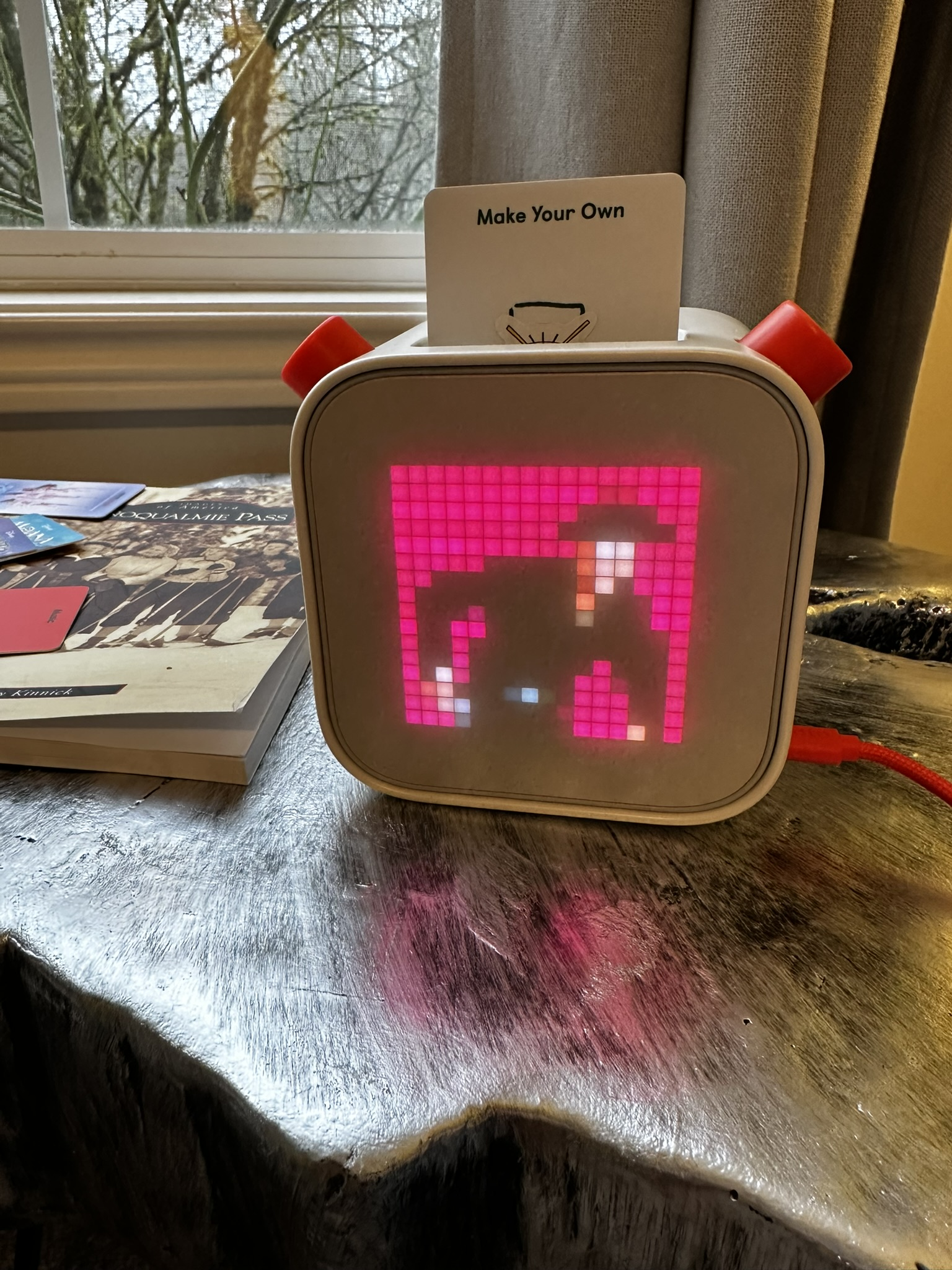
Santa brought my daughter a Yoto player so she can choose the music she listens to. The music is linked to cards that you insert to the player. The cards don't hold any actual data are instead just an NFC chip that tells the player what music and artwork to download and play. It's a clever little device and I really like it so far. Another great feature is that you can create custom cards from MP3s and your own pixel artwork.

My daughter is obsessed with Marty Robbins "Gunfighter Ballads and Trail Songs". It's a really great album that we listen to on vinyl all the time. So my first task on Christmas was to load a custom card with the album and make some custom artwork. I won't go into detail on how I did the MP3s, but for the background image, I decided to vibe code a tool to take an image and downscale it to a 16x16 pixel png file. I used Claude Code to create the tool and had to go through quite a few iterations to work the bugs out of the crop selection tool.

Anyways, here is the final result showing good ol' Marty going for his "Big Iron" on the Yoto! Yoto Player Background

# / 2025 / 12 / 26

Aspire 13.1

Aspire 13.1 Release Notes

Another minor release from the Aspire team. I've updated the blog to use it, which you can see here: https://github.com/david-jarman/link-blog/pull/8

Here's the main highlight for me:

Automatic instance deletion - I'm always running multiple shell instances and often I'll forget I already had aspire running somewhere else. This new feature will let me run aspire again from anywhere and stop the other instance instead of getting an error!

Screenshot

# / 2025 / 12 / 17

FYI: Automatically apply EF core migrations in Aspire

Apply EF Core migrations in Aspire

If you are using Aspire and EF core to manage the schema of your database, this documentation is a great starting place to make the two work together.

The core concept is that you add a worker service that is dedicated to running migrations, creating the initial database, and seeding data to the database. Essentially any operation that should be performed before the actual web app starts up. I implemented this in the blog this evening with the help of Claude Code while I watched Twin Peaks.

One prerequisite was that I had to move my DbContext and Entity classes to a shared library so that the web app and worker services could both access them. I had actually tried to do this when I first created the blog but ran into issues and decided to simplify the design. I first told Claude to separate out the database entities, migrations, and contexts to a separate project. I was surprised how long this actually took. But in the end, something like 20+ files were touched, but all tests passed and the changes looked good.

Next, I started a new chat with Claude (/new command), and gave it the same link provided in this post.

Follow the instructions at the following url to automatically apply migrations when running locally: https://aspire.dev/integrations/databases/efcore/migrations/

It then proceeded to one-shot the changes and everything just worked. Here are the full changes: https://github.com/david-jarman/link-blog/pull/7

# / 2025 / 12 / 17

FYI: dotnet-outdated

GitHub: Dotnet Outdated

I hate having to update package dependencies in projects. Fortunately there is a handy dotnet tool that will report and update packages that are out of date. I used this to update all the packages in the link-blog source code this evening and was pleasantly surprised it just worked. Only issue I found was that because I create a msbuild property to store the OpenTelemetry version (there are three OTel packages with the same version), the tool updated the PackageVersions directly instead of just updating the property. Not a big deal, and I would have been shocked if it was able to handle a corner case like that.

Now I need to see if I can get this to run as a daily CI task.

# / 2025 / 12 / 16

Music theory - Interval trainer

Interval Trainer

Over the past few months, I have been getting back into playing guitar after a fairly long hiatus. I even started taking guitar lessons. My practice has involved playing a lot of bluegrass fiddle tunes and learning carter-style arrangements of old country and bluegrass songs.

Playing bluegrass with others involves playing solos, or "taking breaks". This just means improvising over the melody of the song. As I've been inching closer toward working on my own improvisational skills, I've realized that I don't have as much intuition about what each interval in the chromatic scale truly sounds like. I want to get to the point where I can listen to a song and recognize when the 4th chord is played vs the 5th or in a break when someone adds in a flat 5.

To help myself train my ear to recognize each interval, I vibe coded a tool using Claude code. The page has two main parts: play each interval at your own pace and a quiz that will play intervals at random and you have to choose the correct one. I also added some descriptions to the intervals to help myself think about what those intervals feel like. There is also a toggle to show the "blue notes".

This is one part of my journey to being able to both improvise better but also transcribe music faster.

# / 2025 / 12 / 13